It was brought to my notice that the HTML format horoscope is not working on this site. It seems that the server where this application was hosted has deleted my account. The astrology chart was made using a perl script and I seem to have lost the source code for it 🙁 I am still trying to search.
Upon purchase of one year subscription of Express Star Teller, the subscriber is asked for relevant details of date, time and place of birth. This information is used to generate a varshaphal and predictions are made using a commercially available software – Parashara’s Light 6.0. From the printout, it looks like a computer generated report and a lot of manual effort does not seem to have gone in. Parashara’s Light 6.0 is available for a price from GeoVision Software Inc. and you can find the details here. Continue reading
I get a lot of queries about the Vedic astrology software on this website. Some of the folks who write to me do not have a java enabled web browser. This janma kundali software and the horoscope compatibility software Continue reading
Based on my email exchanges with Basab over the last few days, I realized that there is still a lot of confusion over how to enter values in the birth chart application to generate janma kundli and it is especially true for folks living outside India and those who live in places with daylight savings during a certain part of the year. Horoscope applications throughout the world (for either Western or Vedic Astrology) can programmatically determine if daylight savings is in effect for a place of birth at the time of birth. This programming, however, is not entirely foolproof. Moreover, the laws governing daylight savings can be changed by the government of the day. I have therefore chosen not to incorporate such a logic in the birth chart application on this website and prefer to take this input from the user.
During World War II, all over pre-independence India, i.e. present day India, Pakistan and Bangladesh, clocks were moved forward by one hour to make Indian time 6 hours and 30 minutes ahead of GMT. The exact dates for this change are from September 1, 1942 to October 14, 1945. 1
That Google Earth is now available for a lot of Indian cities is an old story. 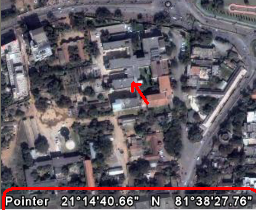
There is a fairly decent way of determining the latitude and longitude of birth using this software. Locate the building where the child was born, place the mouse over the building and note down the exact latitude and longitude. Use this value in the birth chart generator application. Google Earth gives you latitude and longitude in degrees and minutes and seconds and fractions thereof. It would not matter a lot, e.g. for me, the difference in my Continue reading
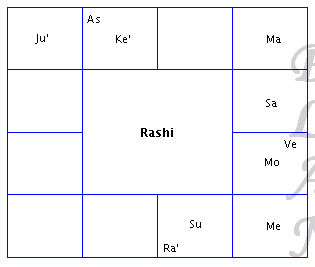
Hi All,
Contact Information | Need Help? | Frequently Asked Questions | Astrology Glossary | Sitemap | RSS Feeds
© Copyright 2014-2022, Abhilasha and Kshitij Sharma. All right reserved. Terms of Use.

 VEDIC ASTROLOGY